You can import trial balance, general ledger, and subledger data into your engagement from a variety of sources.
Data import files, such as Excel or CSV files, are referred to as data sources, which you can then configure and assign to a dataset on the Datasets page. Multiple data sources can be assigned to a single dataset. In addition, you can also import unstructured data—data that cannot be readily assigned to any of the existing dataset types—by selecting the Other dataset type. The import source and dataset options available to you vary based on your product.
Any engagement can have several types of datasets, which are collections of data normally found in an engagement. Each dataset stores data related to a different aspect of an engagement and has predetermined fields. See descriptions of datasets and their fields in Dataset types described.
To learn more about importing and managing your data, see these related topics:
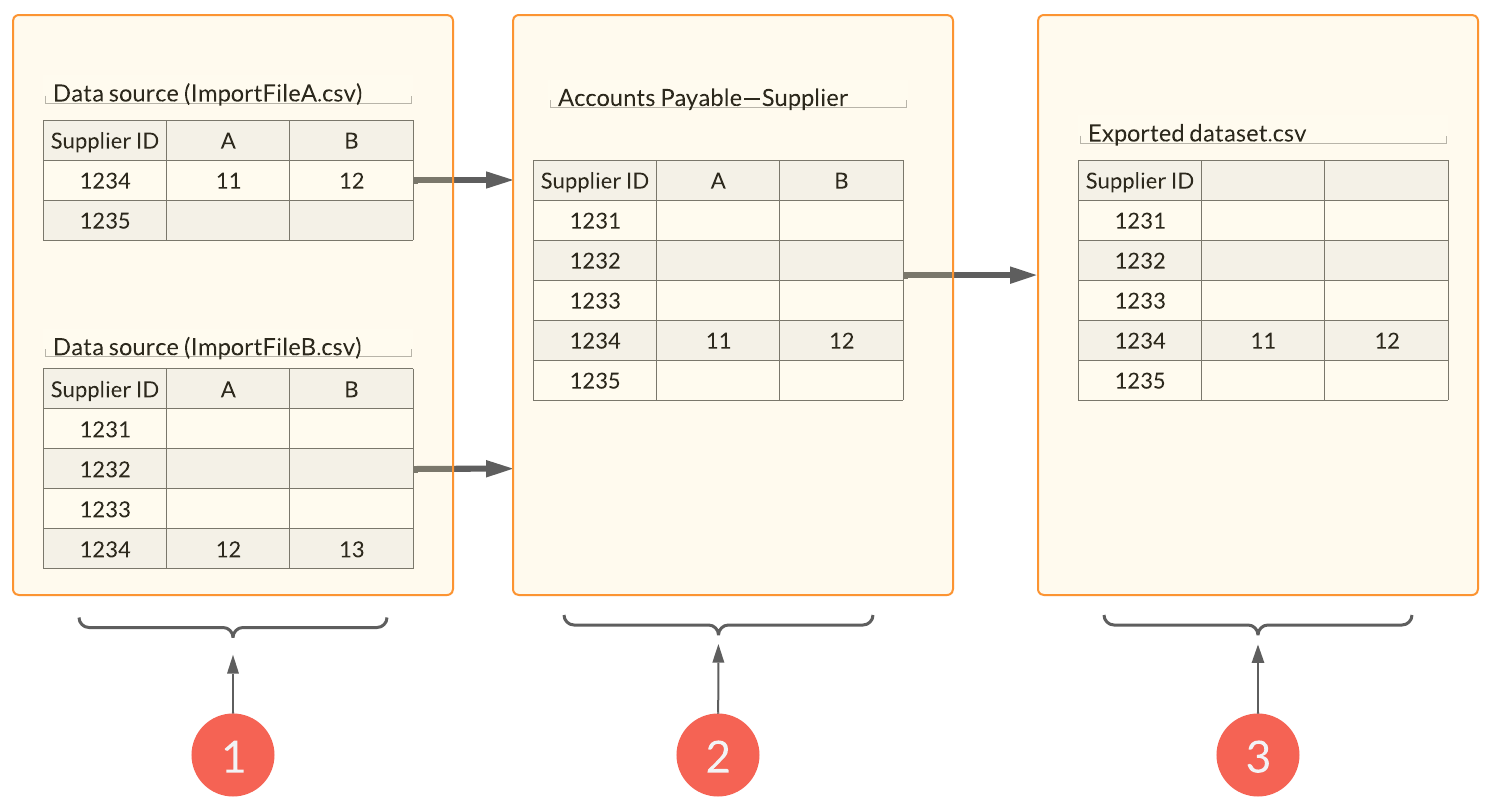
The diagram conceptualizes the differences between data sources and datasets. See also Resolve data import conflicts for more information on how data conflicts can arise and how to solve them.
| Element | Description |
|---|---|
| 1 | One or more data sources can be imported into a dataset. Each data import file is listed as a separate data source. There is a data conflict between ImportFileA and ImportFileB in the data row whose Supplier ID is 1234 in both files. In this case the user has opted to keep the data in ImportFileA. |
| 2 | The resulting dataset does not necessarily contain all the data rows from all data sources depending on how any potential data conflicts are resolved. |
| 3 | You can view the data making up a dataset by exporting the dataset. |