Consolidation allows you to combine several entities into one engagement file (the parent company) for the purpose of publishing consolidated financial statements.
To consolidate an engagement file you must first define the consolidation hierarchy. This describes the relationship between a parent company and its subsidiaries. It is used to combine the financial results of subsidiaries into their parent company's financial results.
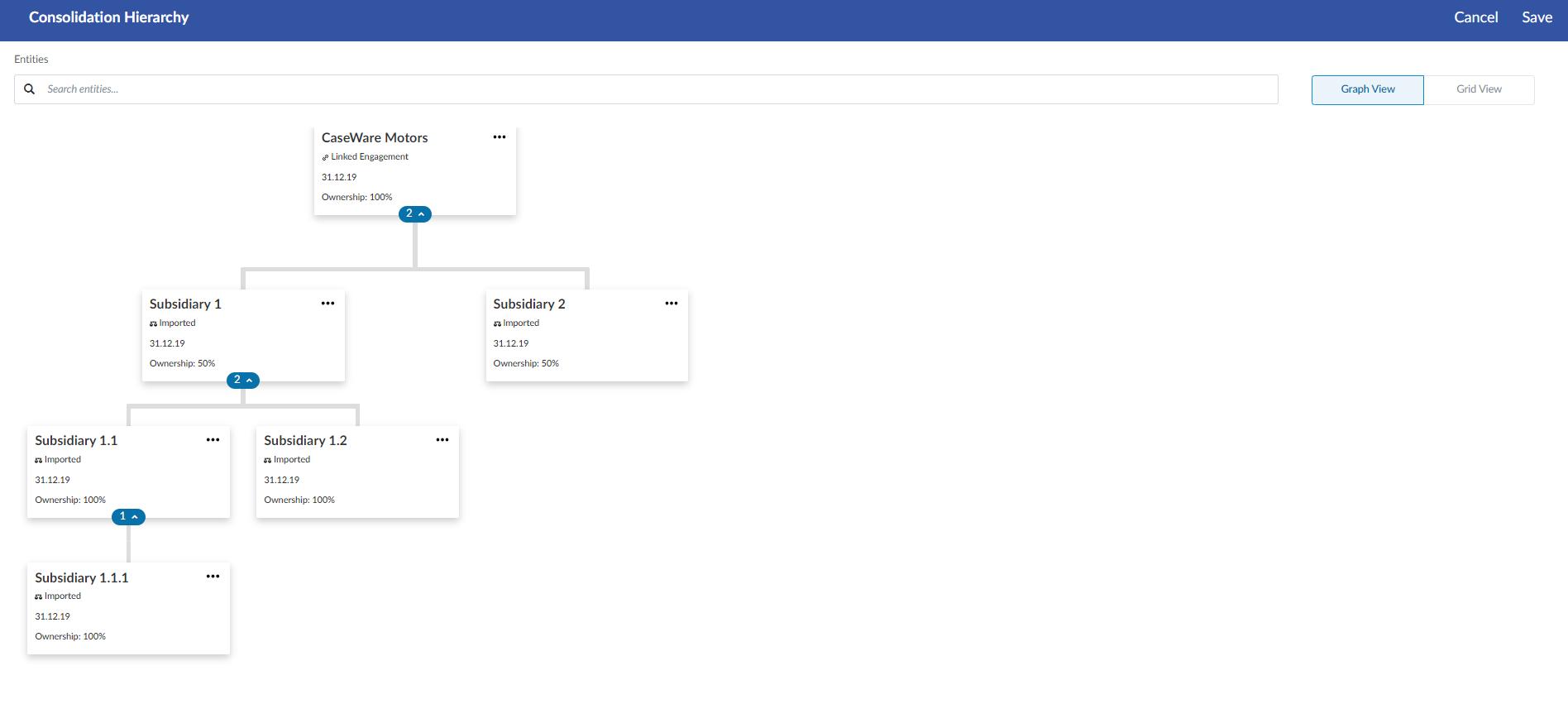
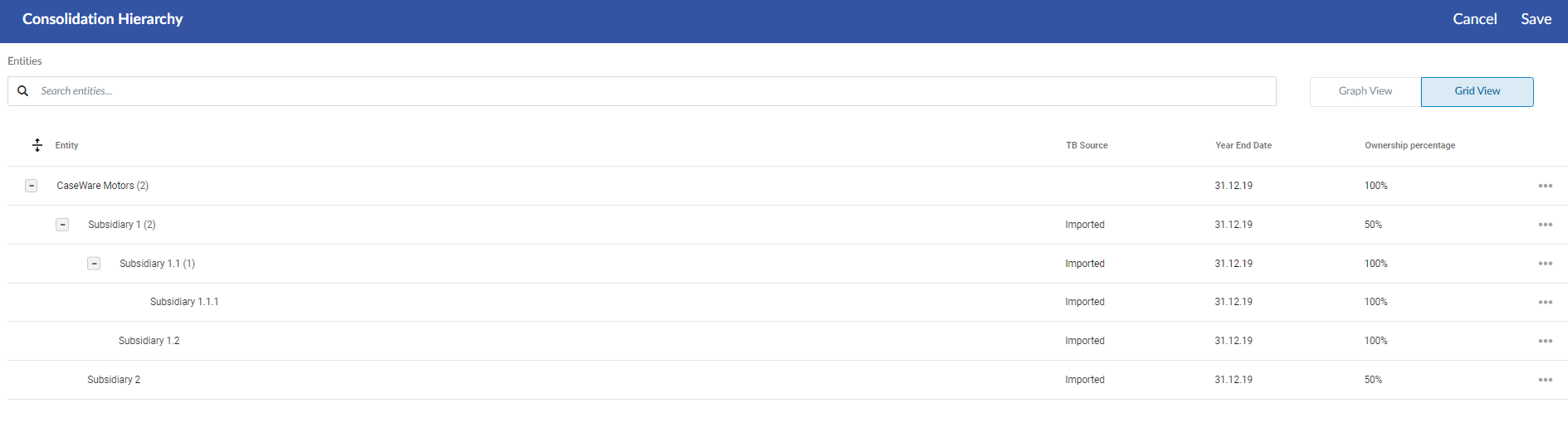
Note that you can add multiple levels of subsidiary engagements. For example, the parent entity can have two subsidiary entities and those subsidiary entities can have their own subsidiary entities as well.
The Consolidation Hierarchy page displays this relationship in either the form of a flowchart or a grid.
You can define subsidiaries in two different ways in the consolidation hierarchy:
Linked engagement - If the subsidiary requires its own engagement file in a separate entity in your Cloud site, you can link the subsidiary’s engagement file to the parent engagement file.
Imported TB - If the subsidiary does not require its own engagement file, you can add the subsidiary internally in the parent engagement file and import the subsidiary’s trial balance to the file.
If you want to view or modify the consolidation hierarchy after you have defined it, select the Consolidation icon ( ) that now appears in the top menu.
Once you have added a subsidiary firm to the Consolidation Hierarchy page, the Consolidate button ( ) no longer appears in the engagement properties pop-up. You can add more subsidiaries from the Consolidation Hierarchy page.
If you use the Add imported TB option to add subsidiaries that do not have separate engagement files, you can import the trial balances for these entities from the Data page. You can select which entity you’re importing the trial balance for during the import process.
See Import and manage data for more information.
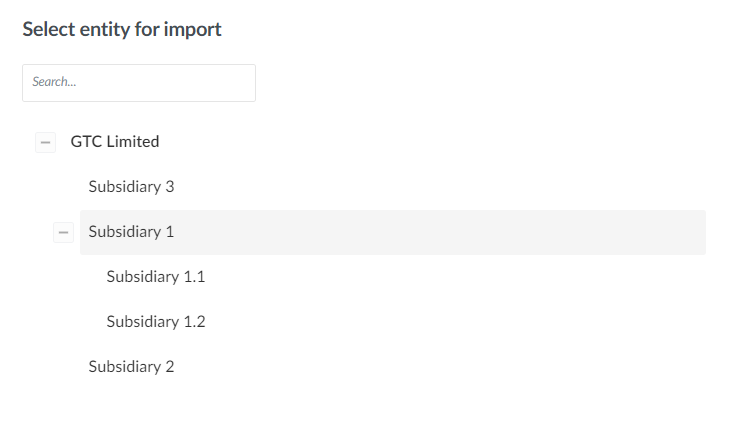
In some jurisdictions, financial reporting for the parent entity must happen separately from financial reporting for the consolidation itself.
Using the Consolidation Hierarchy page, you can link a consolidated engagement file with the parent entity engagement file using the Parent Engagement dialog. Linking the two engagement files ensures that both engagements are displayed as a single entity in the consolidation hierarchy.
The Parent Engagement dialog:
Only allows the selection of one engagement file
Filters for engagements based on the same SE product and same year-end
Does not show engagements that are consolidated (have subsidiaries.)
You can update a subsidiary engagement's trial balance data in a consolidated engagement by bringing in any changes made in the subsidiary engagement, while keeping changes made in the consolidated engagement.
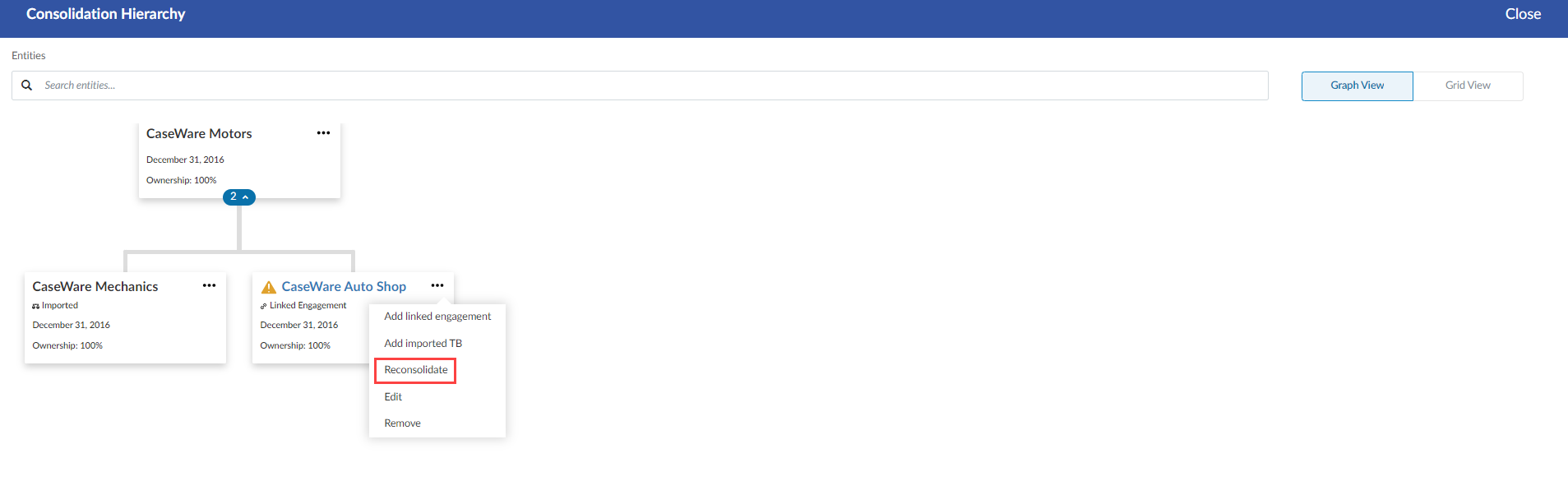
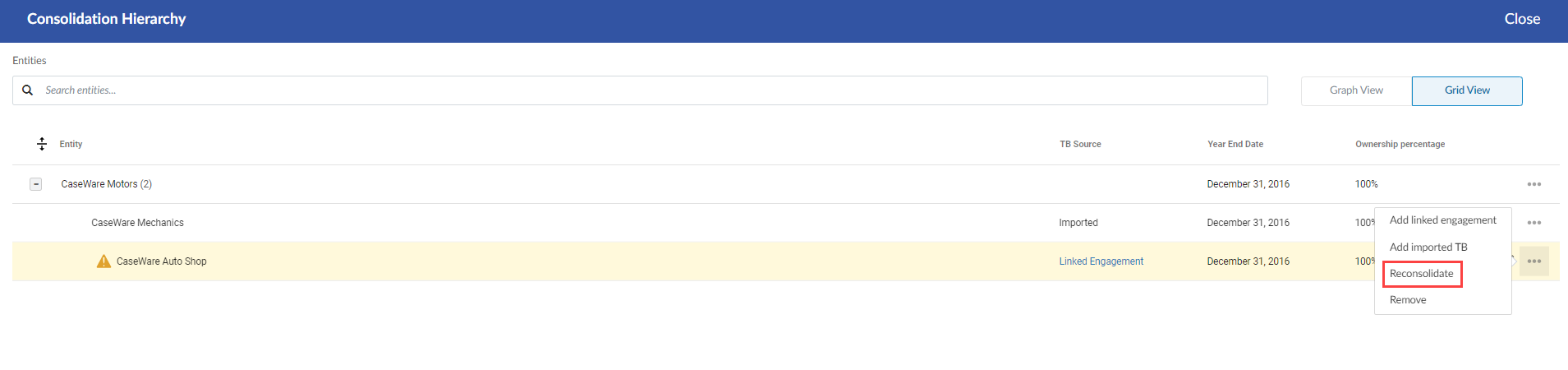
If an update to the trial balance of a subsidiary engagement file has been made since consolidating, the Consolidation icon ( ) that appears in the top menu displays with a red dot. In the Consolidation Hierarchy page, entities with updated trial balances display a warning icon (
 ). You can apply the update using the Reconsolidate option in the hierarchy.
In the example below, changes have been made to the trial balance data for the CaseWare Auto Shop subsidiary. Select More actions ( ) | Reconsolidate to update the information in the consolidated file.
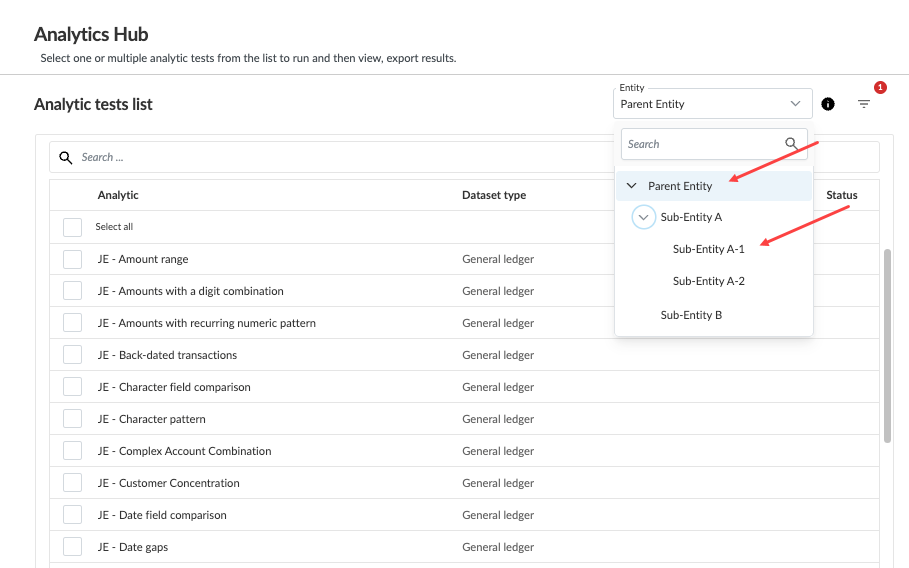
You can now analyze data across entities within a consolidation engagement from the Analytics Hub tab. This allows the user to:
Evaluate engagement-level datasets effectively
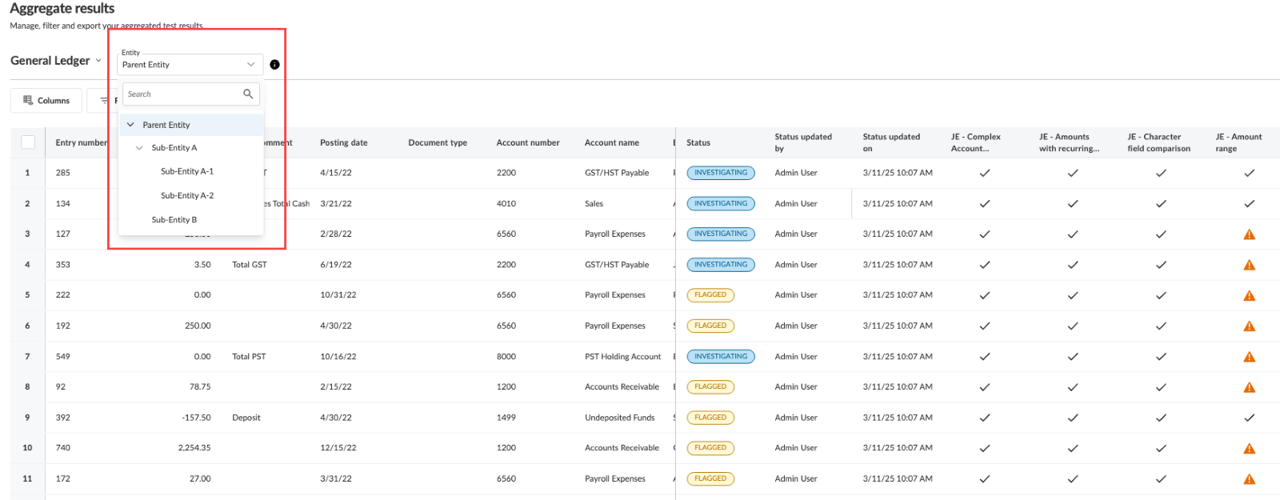
View aggregated results by entity
Ensure a comprehensive review of organizational data for accurate and informed audit conclusions
The feature integrates seamlessly with existing analytics workflows, ensuring minimal disruption to user operations.
Appropriate error messages are displayed when permissions are insufficient or when cross-entity datasets are incompatible.
To use this feature, you will first need to know how to create a consolidation engagement. From within a consolidation engagement, you can select the parent or any child entity to view its analytic results from the Analytics Hub tab.