
New in Caseware Cloud Engagements 2025-07
Welcome to Cloud Engagements 2025-07! This release introduces improved PDF editing capabilities and improved handling of partial trial balance imports.
To learn more about the Caseware Cloud Engagements platform, refer to What is Caseware Cloud Engagements?
Open and edit PDFs locally - now supported across Caseware
Note: This feature requires a one-time protocol installation and is only available for Windows users.
The feature to open and edit PDFs locally, previously limited to select users, is now available across all Caseware applications.
As part of this rollout, this feature includes a new in-house protocol, Caseware WebDAV, which improves installation and feature functionality. This updated protocol includes:
-
Reduced technical dependencies.
-
A one-click workflow to open PDFs in your preferred editor.
-
A streamlined installation process, including automatic detection of existing versions.
-
Includes a simple prompt with direction on how to install the protocol and remove the previous version, if required.
To learn more about this feature, refer to Open and edit PDFs locally.
Improved validations for trial balance imports
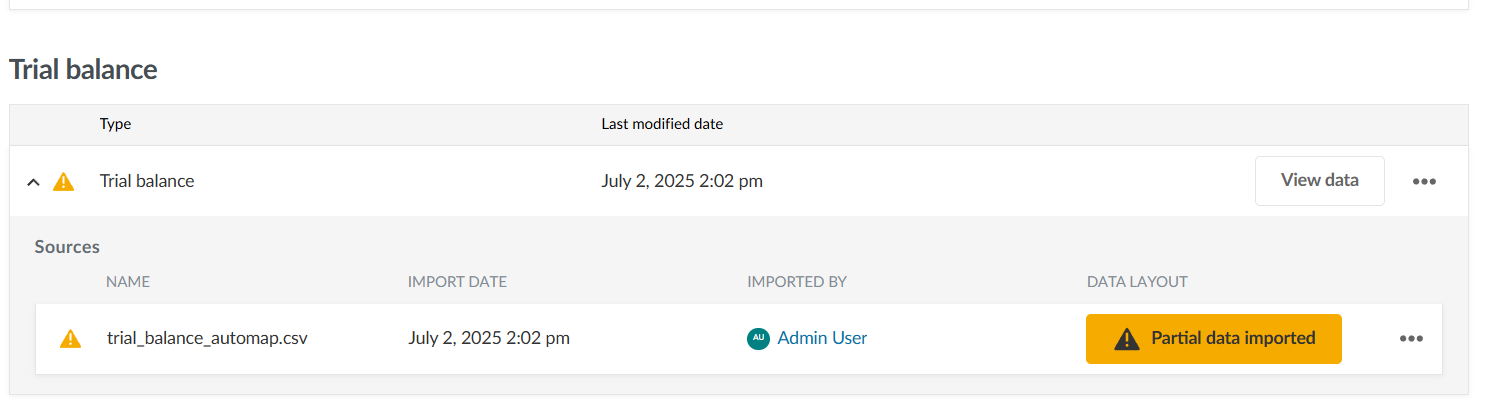
When some accounts in your trial balance don’t import—for example, because they duplicate existing accounts already present in the current engagement or fail other validations— a Partial data imported indicator now appears.
This indicator shows that not all accounts were imported and provides options to address them:
Note: This update does not address cases where a fresh import file (for example, CSV or Excel files) contains duplicate account numbers within the file itself. To learn more, refer to Resolve duplicate account numbers in the same trial balance import file.
-
Export a list of duplicate accounts before continuing (available only before accepting the import).
-
Accept the import and proceed with the unique accounts.
-
Reimport after correcting the issue in the source file.
-
Cancel and delete the partial import from the Datasets tab to fix and retry.
This enhancement gives you clearer insight into import results and makes it easier to resolve issues before proceeding. To learn more, refer to Resolve a partial trial balance import.
Clearer messaging for server downtime and retry guidance
We’ve refined the error messages and retry options for cases when imports fail due to temporary system issues:
-
Request Timeout errors now display guidance to retry after a short wait.
-
503 Service Unavailable errors now explicitly state that the server is temporarily unavailable.
-
A Refresh button is available to quickly reattempt the import.
These changes help you understand what went wrong, how to recover, and when it’s safe to try again, reducing frustration and avoiding unnecessary troubleshooting.
Fixes in Cloud Engagements 2025-07
Changes made by enterprise authors to the assertion names are overwritten by the primary author updates for multilingual support.
