
Download a reference copy of your engagement
When you manually lockdown an engagement, as part of the workflow to wrap up your engagement, a copy of the engagement will automatically download. This is known as a reference copy. You can also manually download a reference copy of the engagement at any stage of your engagement.
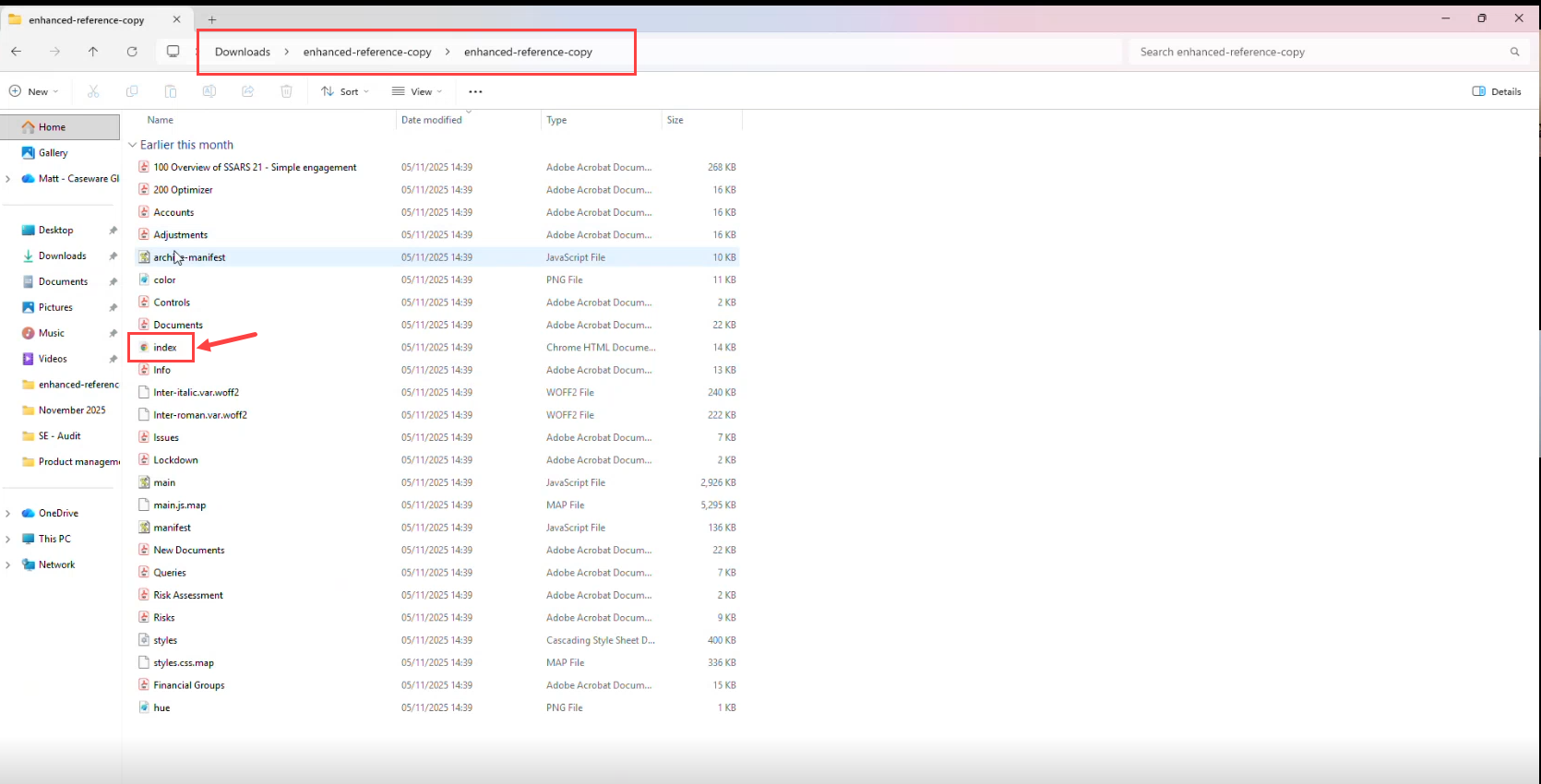
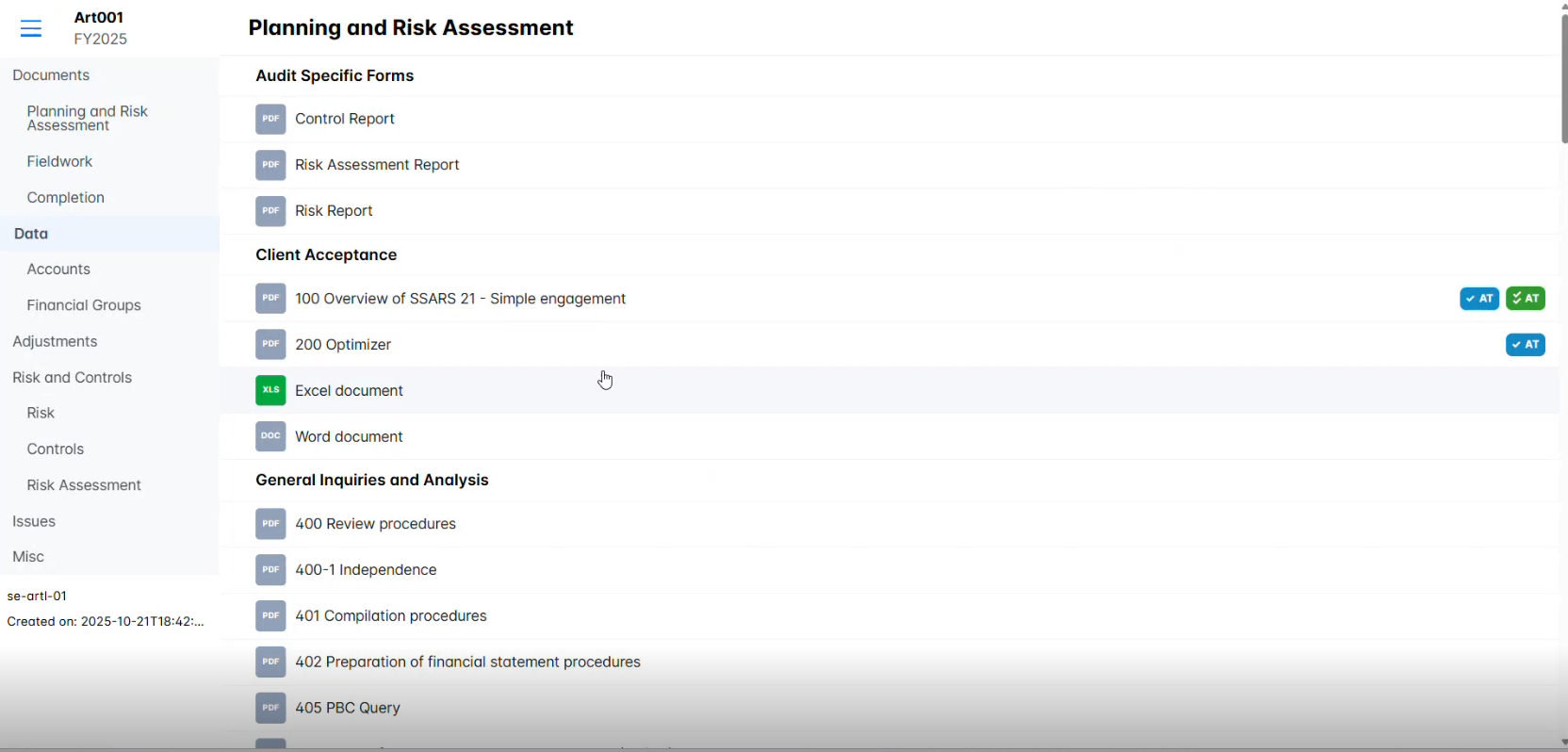
The reference copy is a ZIP file that contains PDF versions of all engagement documents. The ZIP file includes a web-based interface (index.html) that makes viewing and navigation easier. The index file mirrors the Caseware structure of your engagement, including folders and the signoff status of each document.
The reference copy allows you to:
-
Maintain immutable copies of engagement documents for inspection or legal requirements.
-
Avoid inadvertent changes caused by platform or content updates.
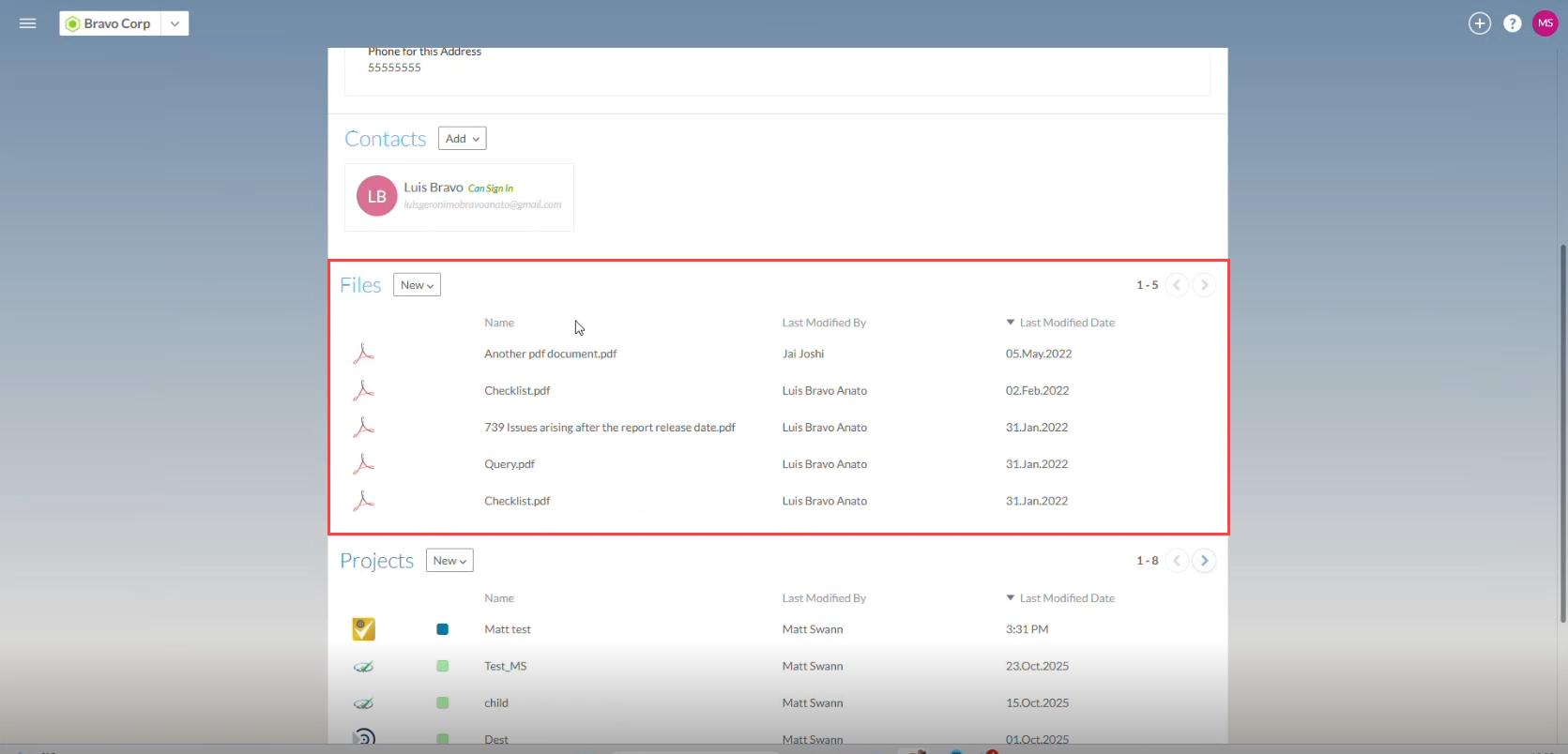
A non-editable reference copy is also stored in the entity files and Entity Details page in Caseware Cloud. You continue to retain the ZIP file that was downloaded to your local device.
To manually download a reference copy:
-
Select Information (
 ).
). -
Select Download reference copy.
The index.html file in the downloaded ZIP file:
The interactive web page within the index file:
The copy stored in the Entity Details page of Caseware Cloud:
Limitations:
-
PDF annotations and document issues are included but some presentation details may vary.
-
Removed documents are not included.
-
Hide/show settings for document sharing are retained.
-
Ledger content is included only if present at the time of archiving.
For more information on locking down an engagement, refer to lock down your engagement.
