Manage risks and risk assessments in an engagement
Risk management is a core feature within Caseware products that provides a centralized location for managing all risks identified throughout an engagement. It serves as the master repository for risk information, allowing users to:
-
View, add, and edit all risks associated with the engagement, regardless of where they were identified.
-
Track risk details, such as descriptions, categories, likelihood, impact, and responses.
-
Link risks to controls, procedures, or other engagement elements.
-
Generate reports or summaries of all risks for review and compliance purposes.
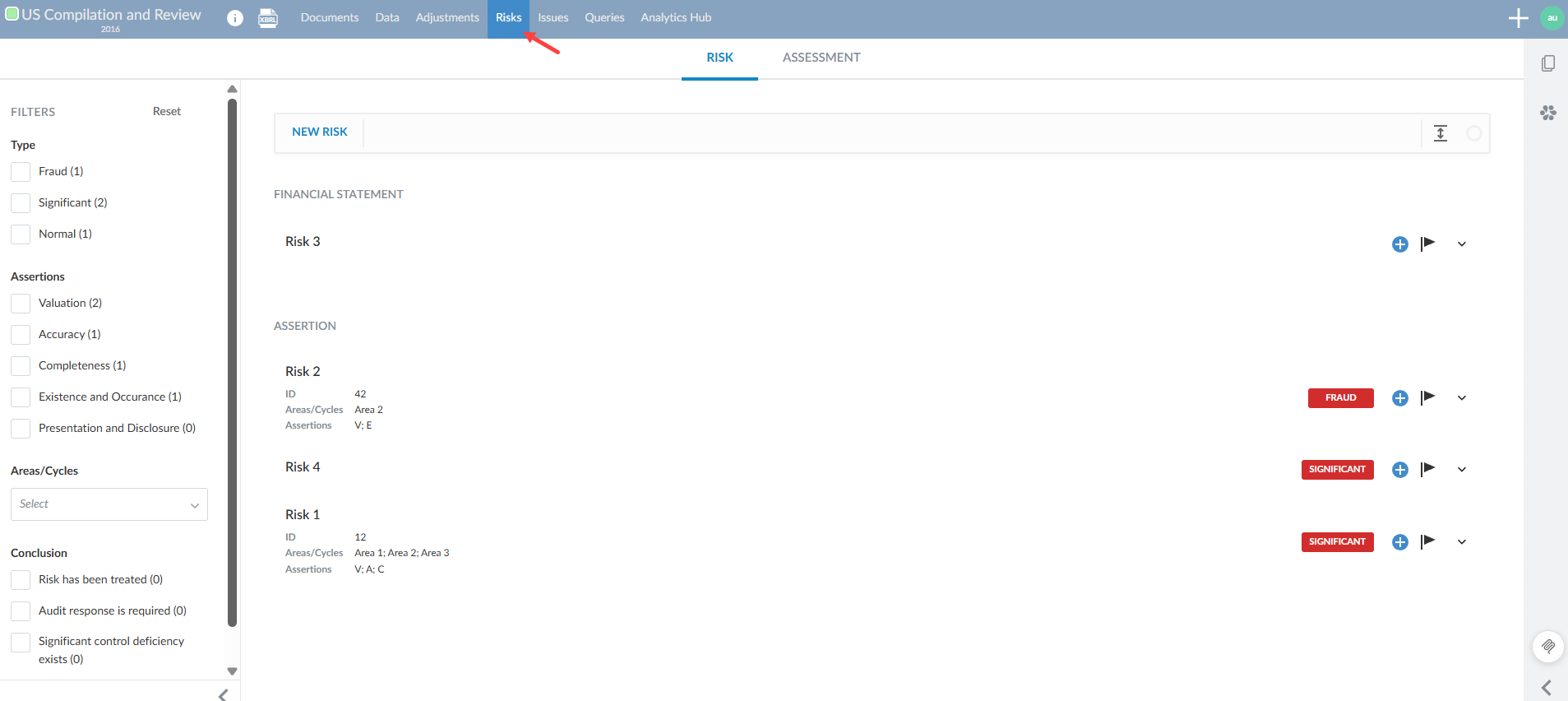
You can access this feature through the Risk page:
Signoff options
Depending on how your product is configured, risk reports can be signed off in two ways:
-
Sign off the entire report - One signoff button is available in the report for you to sign off the entire report.
-
Sign off each risk in the report - A signoff button is available in each risk card in the report. You can sign off each risk individually.
Custom signoff – in some cases, your product may have custom signoff procedures configured for your product.
Add a risk
-
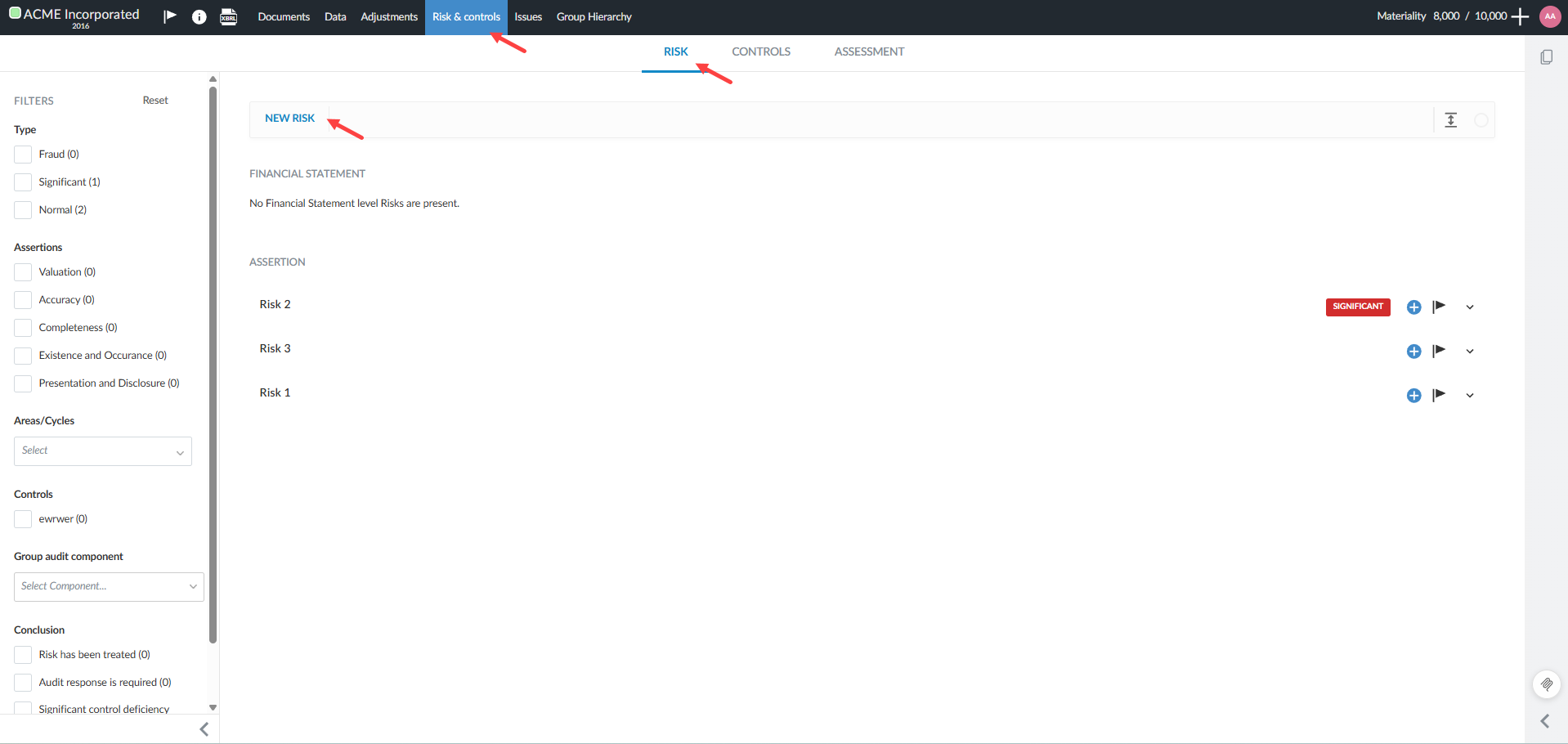
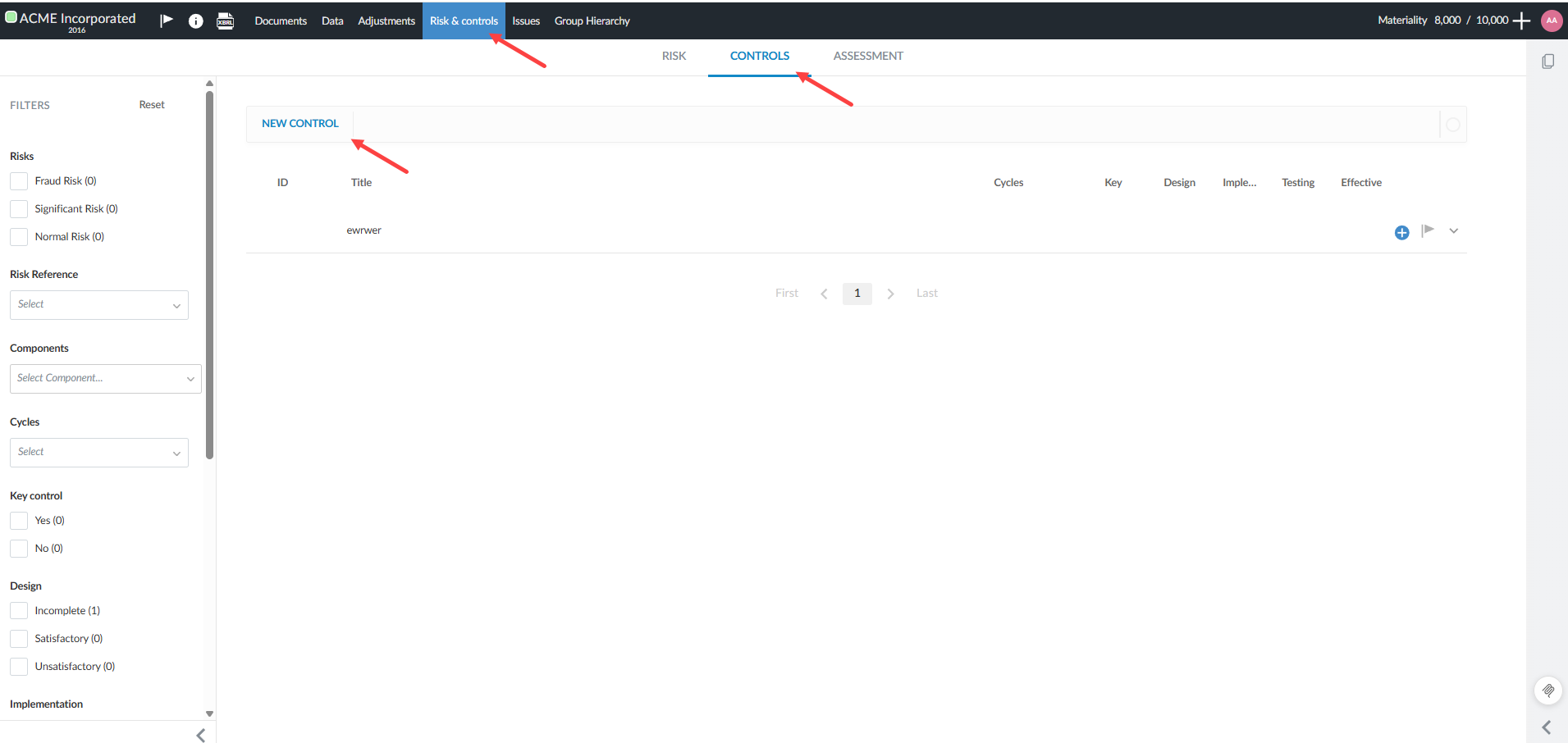
Select the Risk & Controls page in your engagement.
-
Click the New Risk button.
-
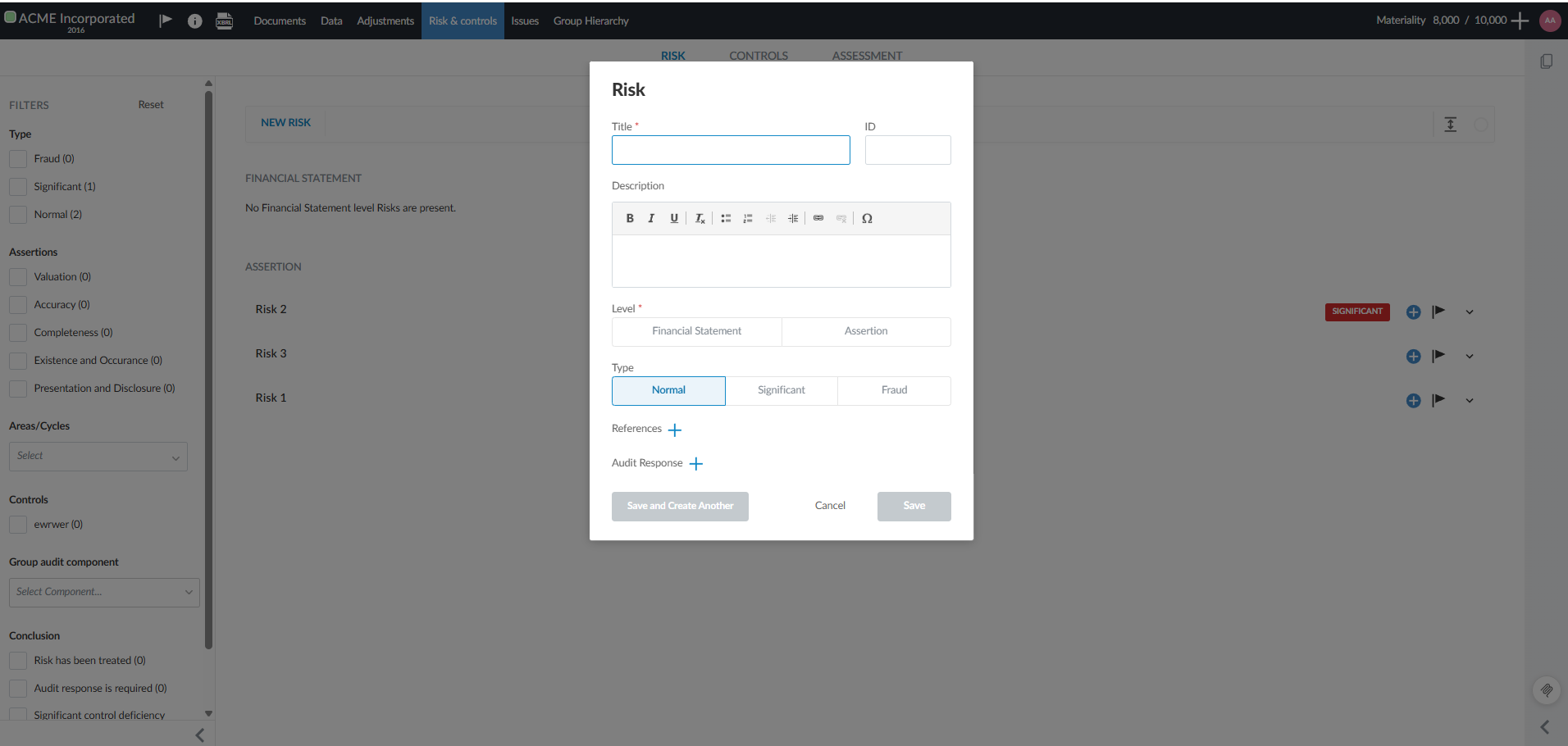
Complete the risk details.
-
Click Save or Save and Create Another.
Note: You can also add Controls to your risk assessment in a similar way. Controls are procedures or activities designed to mitigate identified risks in your Caseware Cloud engagement.
Risks:
Controls:
Scale options
As authors, you can define the rating systems used to assess and score risks. As a user, you can use the rating system to evaluate the likelihood, impact, or other attributes of a risk.
Purpose of Scales:
-
Ensures that all risks are assessed using the same criteria and rating system across the firm.
-
Provides clear definitions for each level of the scale (e.g., Low, Medium, High) to guide user judgment.
-
Adapts the risk assessment process to your firm’s risk appetite, regulatory environment, or industry standards by defining custom scales.
Example Scales:
-
Likelihood: Rare, Unlikely, Possible, Likely, Almost Certain
-
Impact: Insignificant, Minor, Moderate, Major, Catastrophic
-
Overall Risk: Low, Medium, High
Perform a risk assessment
When you perform a risk assessment, you evaluate the engagement's risks to determine their significance and action items.
-
You rate the risk (for example, as high, medium, or low) based on likelihood and impact.
-
You may assess inherent risk, control risk, and risk of material misstatement.
-
You document your planned response or actions to address the risk.
-
You may add comments, issues, or sign off on your assessment
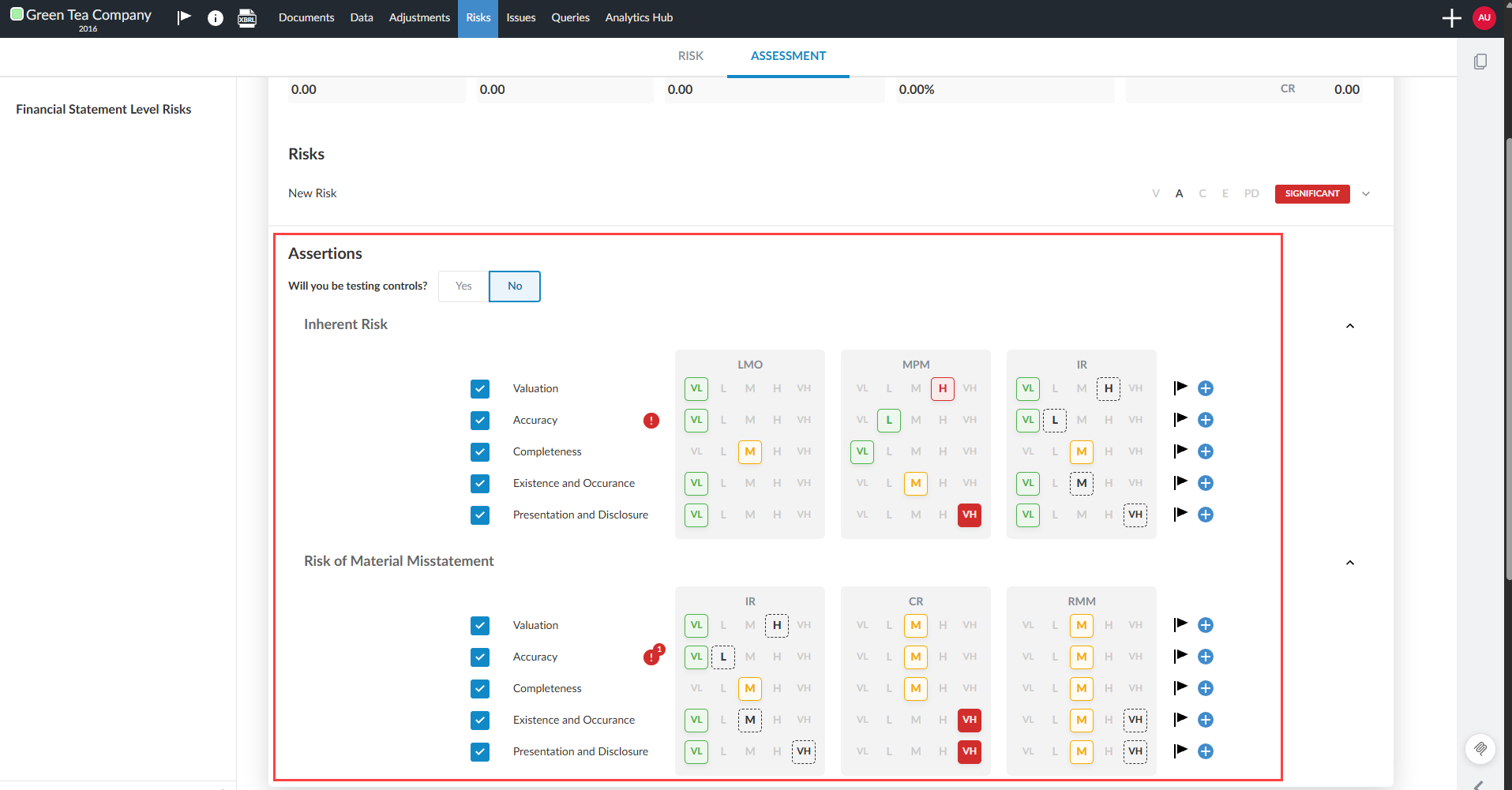
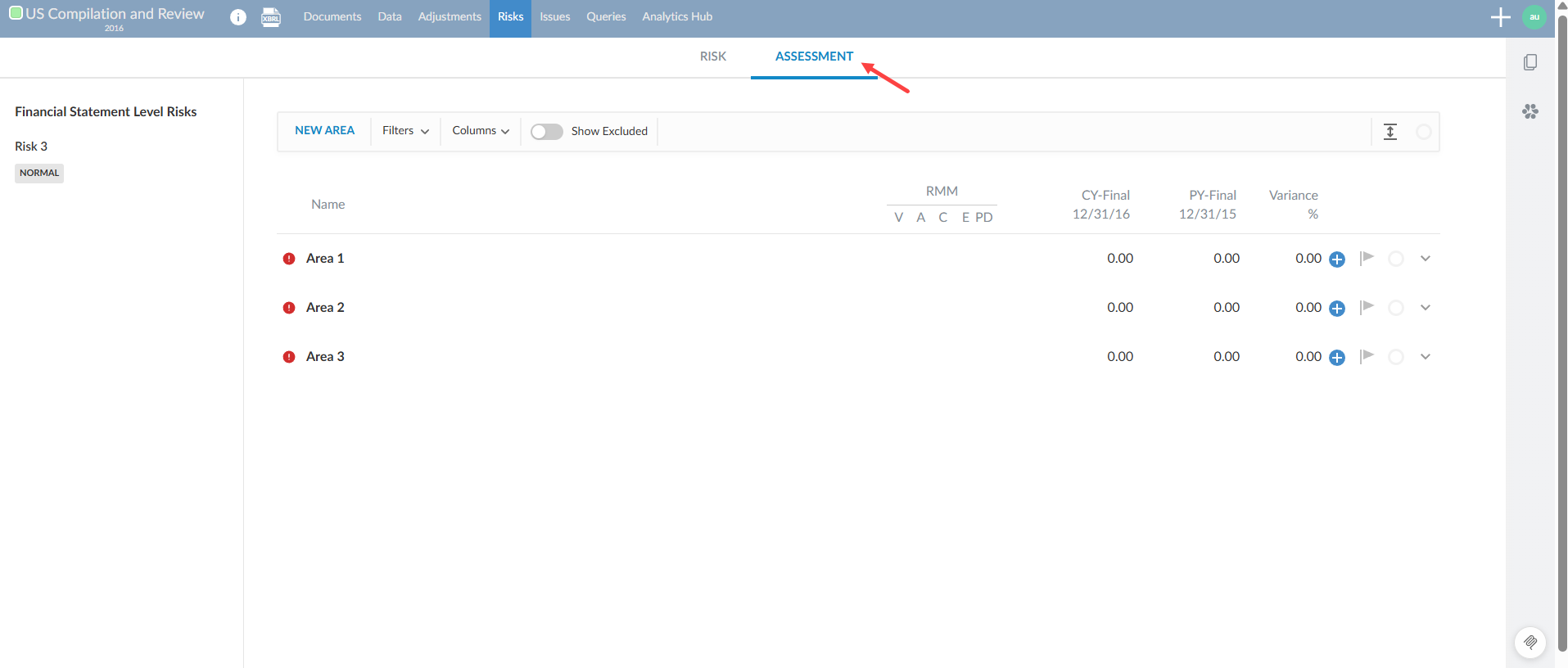
The Assessment tab is available in the Risk & Controls page:
Add issues and annotations for each assertion row in risk assessments
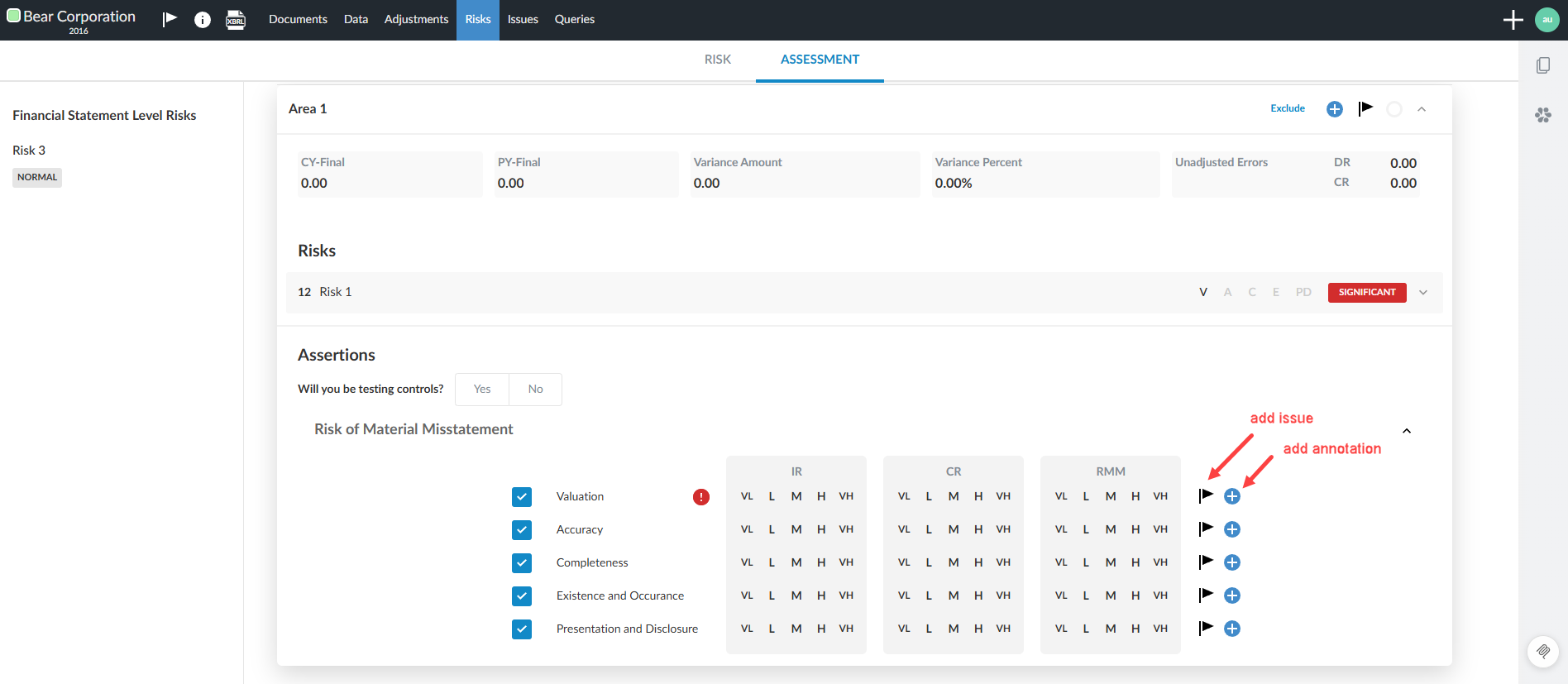
You can now add issues and annotations directly to each assertion row in your risk assessment cards. This allows for more granular documentation and tracking of risks, considerations and notes at the assertion level. Annotations and issues are clearly associated with the relevant section (IR or RMM), improving clarity and auditability.
To create issues and annotations for each assertion row:
-
Open the Assessment tab in the Risk & Controls page of an engagement.
-
Click the Add icon [
 ] beside an assertion row to add an annotation.
 -
The annotation expands to the left.
-
Click the Issue icon [
 ] beside an assertion row to add an issue.
 -
The system saves each annotation or issue with a property that determines its display location (IR section or RMM section).
Flag overridden risk levels
You can flag when a user manually overrides a default calculated risk level at the Inherent Risk (IR) and Risk of Material Misstatement (RMM) assertion level.
If a user manually overrides a calculated inherent risk (IR) or risk of material misstatement (RMM) level, the original default risk level is visually indicated with a dotted outline in the assessment card. This makes it clear that the assessed level differs from the calculated default and helps reviewers identify where professional judgment has been applied.
Users can add issues or annotations at the assertion level to document explanations or follow-up items related to overridden risk levels.
This feature must be enabled by a Caseware or enterprise author in the template Product Settings | Assessment settings by toggling on the Show assessment controls setting.
Default risk styles highlighted by a dotted line border: