Grouping structures in Cloud Connector
Cloud Connector supports all grouping structures from your engagement. This lets you work with trial balance data using the grouping hierarchy that matches your firm’s reporting needs.
For definitions of the available grouping structures, refer to grouping structure.
When you use Cloud Connector to bring trial balance information into a spreadsheet or other report, the data follows the grouping structure you select in your solution. Cloud Connector applies the selected grouping structure when it retrieves and arranges the trial balance data, so your reports, such as mapping summaries or consolidated trial balance documents, use the hierarchy that matches your engagement’s configuration.
To connect grouping structures:
-
Open your licensed Cloud Connector in Excel.
-
Select the Trial balance tab.
-
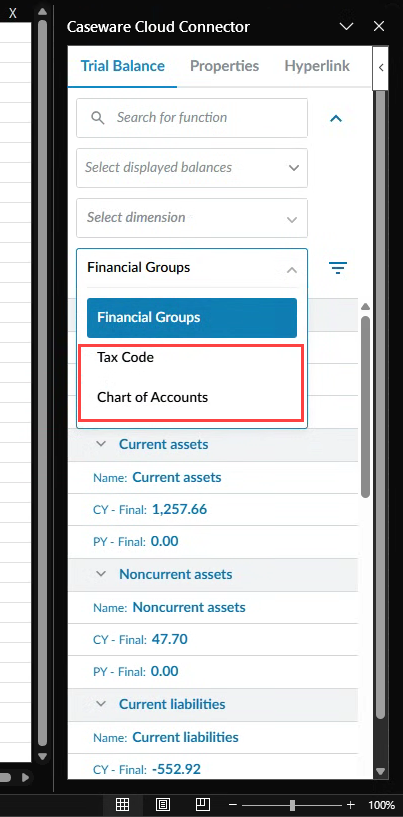
In the grouping field, select the dropdown menu to the right of the field to select other options, as needed. Financial Groups is selected by default.