Manage groups across business units
The Global Staff Groups app is a centralized location for Admins and Staff Admins to manage security groups across all business units in their organization.
The Global Staff Groups app can be used to:
-
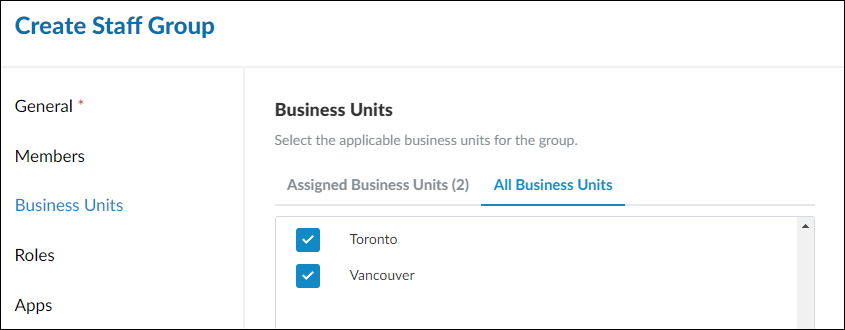
Create new groups and assign them to one or more business units from a single page. Group members will gain access to these business units.
-
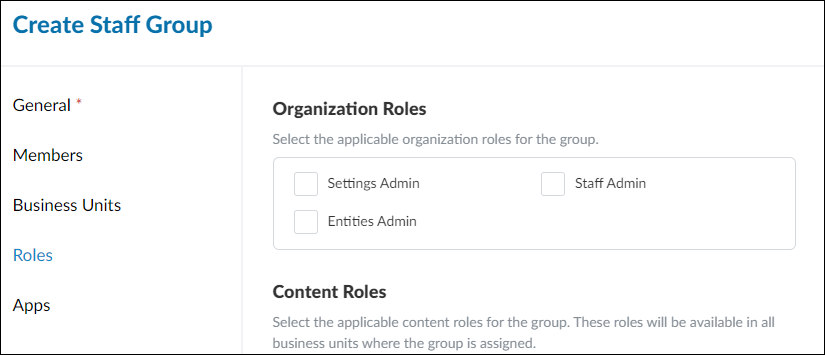
Assign roles to groups in one or more business units. For more information on the different types of roles (e.g. organization roles and content roles), see Built-in roles.
-
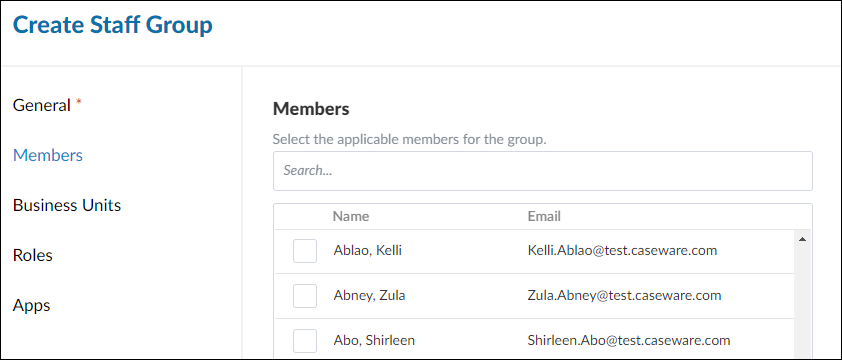
Add staff to any group across the organization.
Note: Previously, each business unit included an All Staff group that contained all staff members from those specific business units. In order to manage all staff members across the organization more efficiently, we’ve made the following changes:
-
A new All Staff group has been added to the “Admin” business unit to fulfill the purpose of the original All Staff group, but at an organization level. This group will include all staff members across the organization (i.e. all business units).
-
With the new organization-level All Staff group mentioned above, the existing All Staff groups from each individual business unit no longer serve their intended purposes. As a result, they have been converted to custom groups named after the original business unit and date (e.g. AllStaff-BU1-2024-06-30). These custom groups will retain all their original staff and permission settings, but new staff will no longer be added automatically. You can choose to rename/edit/delete these groups as you see fit.
-
Before deleting the original All Staff group, ensure that all members are given the following access and permissions from the group via another staff group or direct assignments:
Staff that are not given these permissions before deletion of the group may lose access to content that they previously had.
Create global staff groups
Firms utilizing the business units feature can create global staff groups with settings that apply to group members across business units.
To create a global staff group:
-
Ensure you have the Staff Admin role or equivalent rights.
-
From the Cloud menu ( ), select Global Staff Groups.
-
Select New.
-
On the General tab, enter a name and description for the new group.
-
(Optional) On the Members tab, select the applicable staff members for the new group.
-
(Optional) On the Business Units tab, select the applicable business units for the new group.
-
(Optional) On the Roles tab, select the applicable roles for the new group.
-
(Optional) On the Apps tab, select the applicable apps for the new group. Note that each app you select must have available licenses for each member of the new group.
-
Select Save.
The new group is added to your Cloud organization with access to the business units where it has been assigned.