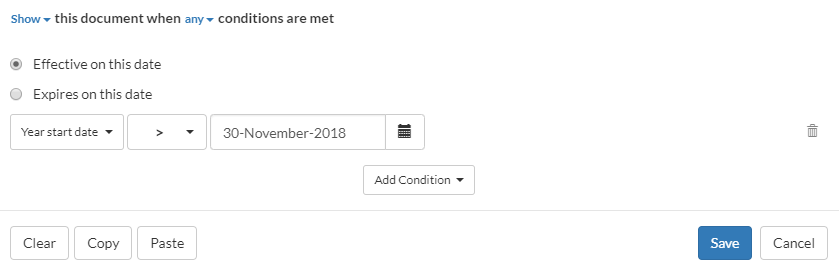
The following visibility settings make a document visible if the fiscal year starts after November 30, 2018.
If the year start date for the engagement is December-20-2018, the condition evaluates true and the document is available (shown) in the engagement file.
If the year start date for the engagement is May-15-2018, the condition evaluates false and the document is not available (hidden) in the engagement file.
The following visibility settings make a document visible if the engagement is a Review engagement with a fiscal year that starts after November-30-2018.
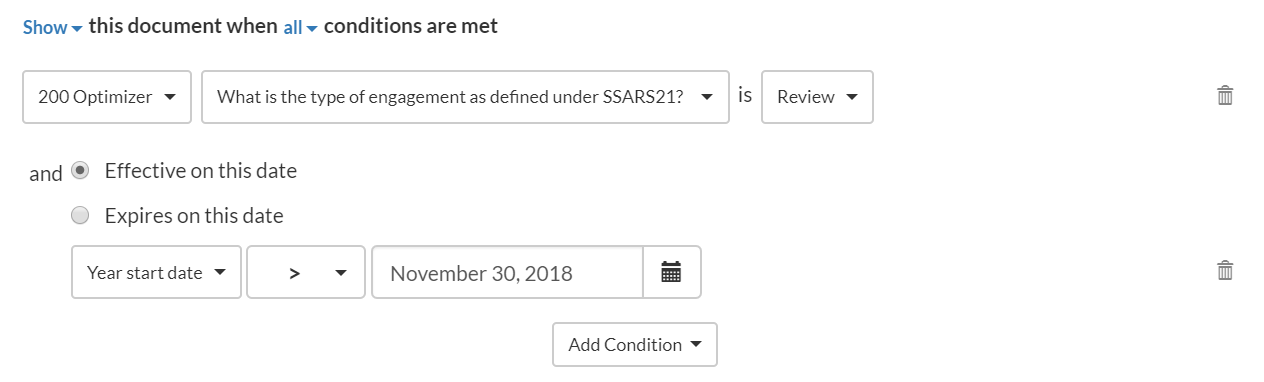
If the type of the engagement is Compilation and the engagement year start date is December-15-2018, the final result is false and the document is not available (hidden) in the file.
Let's add a Group condition to have a nested setup. A Group condition allows you to group more than one condition and have them evaluated together. The result is then compared to other available conditions.
The following visibility settings make a document not visible if the engagement is a Preparation engagement or if the entity is a Canadian Private Corporation with a fiscal year that starts after December-31-2018.
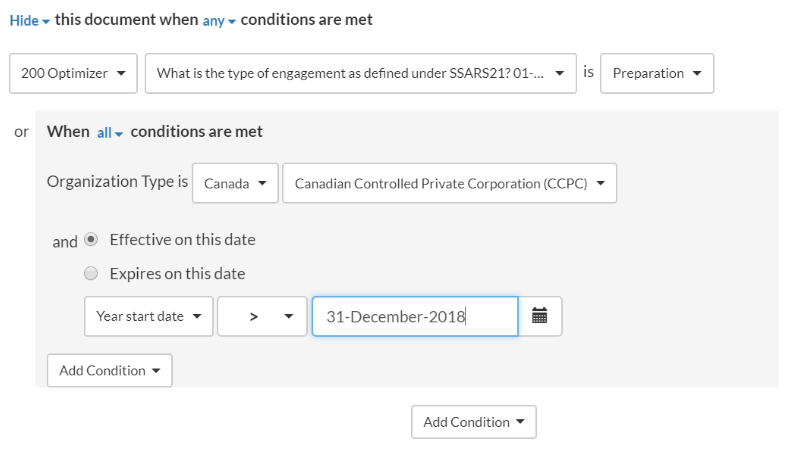
If the engagement year start date is December-20-2018, the organization type is Canadian Controlled Private Corporation and the engagement type is Review, the final result is false and the document is not available (hidden) in the file.
The following settings make a document visible for fiscal years beginning after December 15, 2019, and interim periods within fiscal years beginning after December 15, 2020.
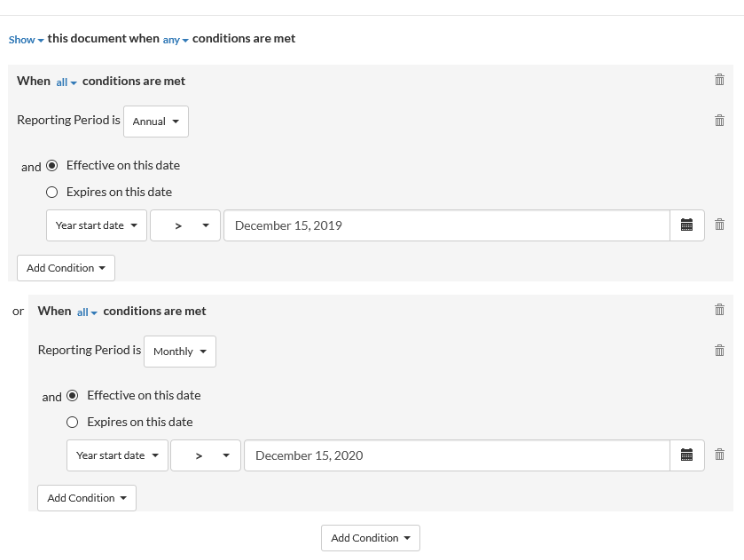
Let's assume that the reporting period is Annual, year start date for that period is November-30-2018, the interim period is Monthly and the year start date for that period December- 30-2019.
The system evaluates the first group condition - and the result is false because one of the conditions is not met. Then it evaluates the second group condition and the result is true, because both conditions are met.
Lastly, it evaluates the results for the two group conditions based on the visibility logic at the top (which states that the document shows if any of the conditions is true) - to finally have an end result that the document is available (shows) in the file.