 ) marking the out of balance columns.
Note: If the trial balance is out of balance (Assets does not equal Liabilities + Equity), the process to apply rounding differences cannot be followed. Also, an Out of balance indicator displays in the Trial Balance page () marking the out of balance columns.
Rounding account balances in financial statements tables follows specific rules:
The total of the rounding differences in all balances is applied to the first account with non-zero balance within the default group that's predefined in your product.
Note that "applied to the first account" means "added to the balance of the first account".
Example:
Let's assume that:
In this case, rounding differences apply to Cash and the new balance for Cash becomes $12,403.
Rounding differences can only apply to accounts.
You can change the account where rounding differences apply and select a different account.
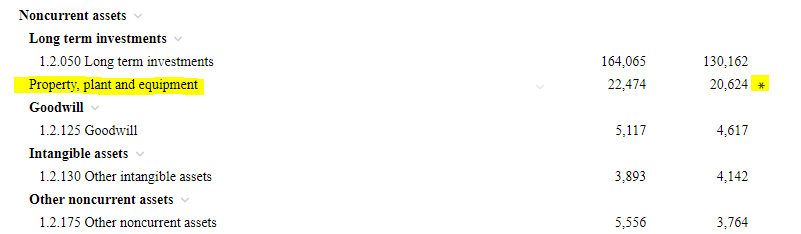
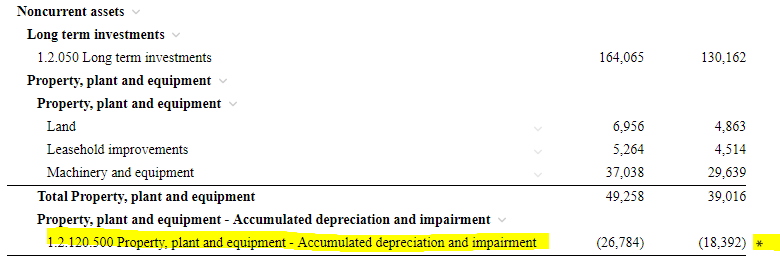
In the financial statements tables, the row where the rounding differences are applied is marked with an asterisk (*).
In this figure, the asterisk (*) marks Property, Plant and equipment row to denote that rounding differences apply to an account in this group.
As you expand the group, the asterisk (*) relocates until you reach the account where the rounding differences apply.
In Carry Forward, rounding differences apply to the same accounts in prior years (that is, no change for prior years). As for the current year, rounding differences apply to the account of the most recent prior year. Here is an example:
if you carry forward data for 2018, 2017 and 2016, where,
then,