You need to review the contacts responses. If the provided information in a response is valid, you can accept the response. Select the Accept button at the bottom of the query question.
You can also return a response back to the contact if the information or documents provided are insufficient, incorrect or need clarification. Select the Return button at the bottom of the query question.
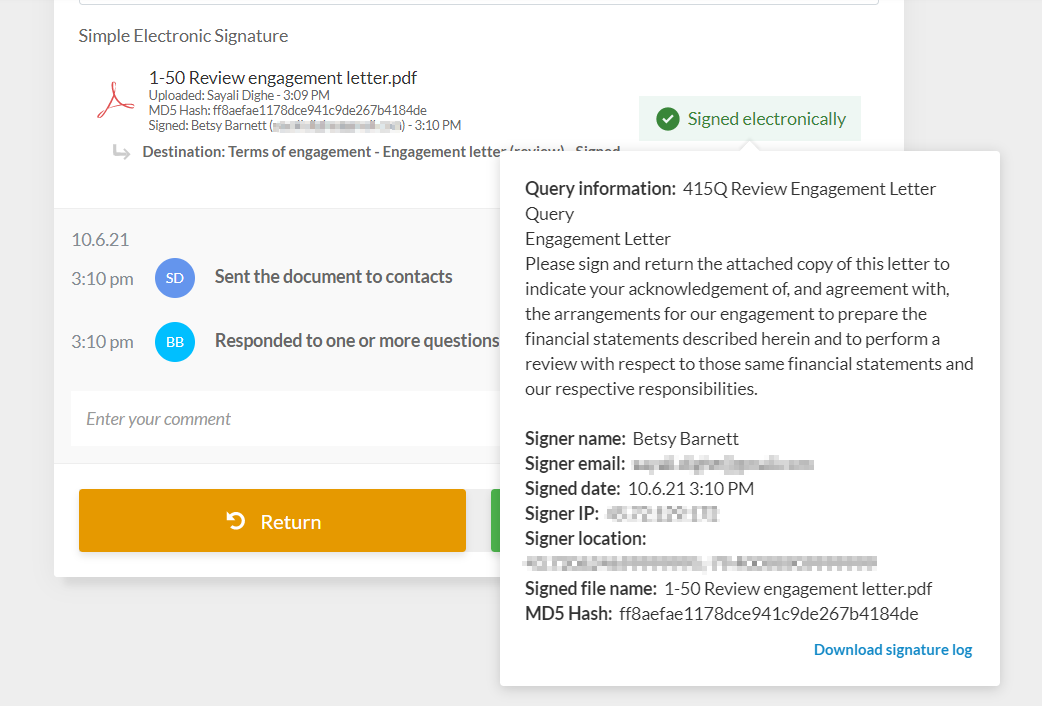
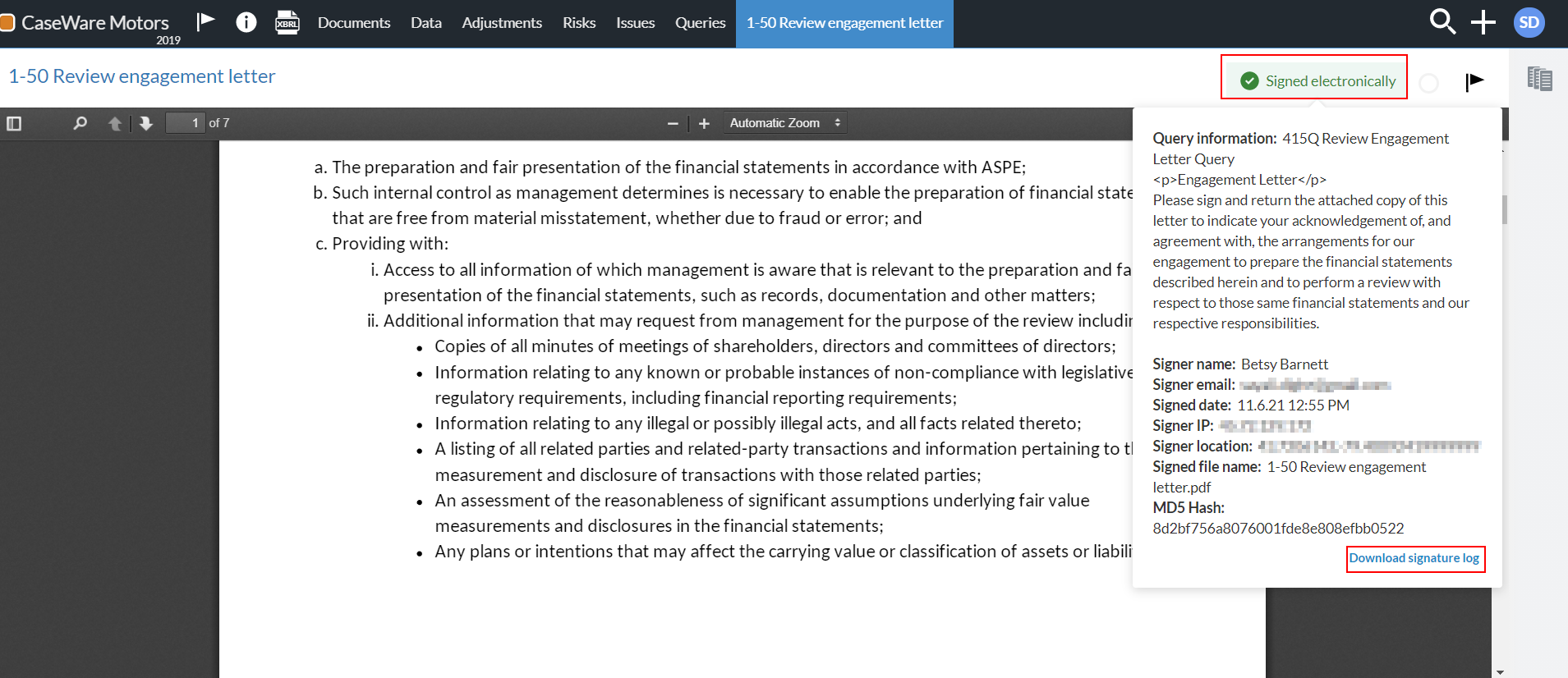
If the query question has the Simple Electronic Signature response type and the contact has accepted electronically, you can select Signed electronically to review and download the signature details.
The log includes the following information:
Query question details
Signer name and email
Signer location (if the clients have chosen to enable location access)
Signer IP Address
Signature date
Document name
Document MD5 hash
The signature log is also available in the signed document when you open it from the Documents page.
You can also use the filters in the left pane to review the contacts progress and navigate through the document as you review responses.
To add a comment:
Go the question where you want to add comments or notes.
Enter your comment in the Comment field below the question.
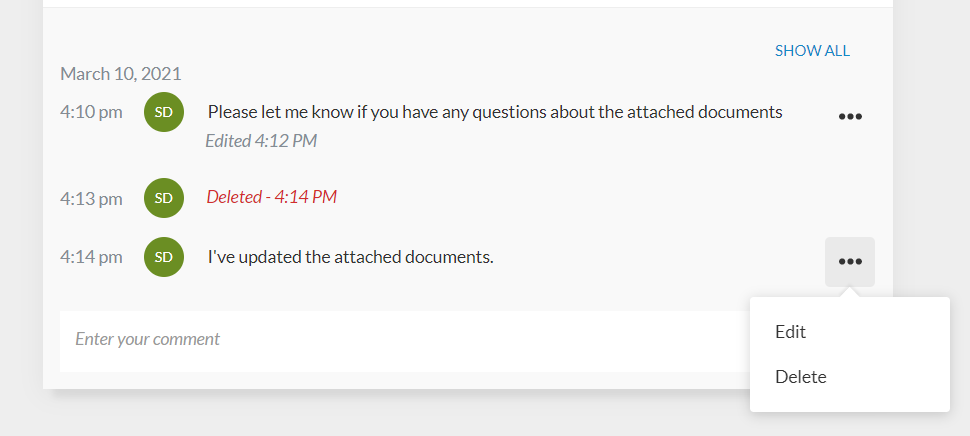
Contacts and staff can add comments as needed. Notice how user initials, date and timestamp of all interactions display in the Comment field.
If necessary, you can select More actions ( ) and then Edit or Delete to edit or delete your comments. Timestamps for edited and deleted comments display in the Comments area. The term Deleted displays for a deleted comment along with the timestamp.
Note: Information indicating that a comment is edited or deleted is only available to staff members and does not display to contacts.
The Comments area also displays the query question history. The query question history includes the timestamp and username for the following actions:
Query is sent to the contact
Contact responds to the question
Contact marks the question as responded
Response is accepted
Response is rejected
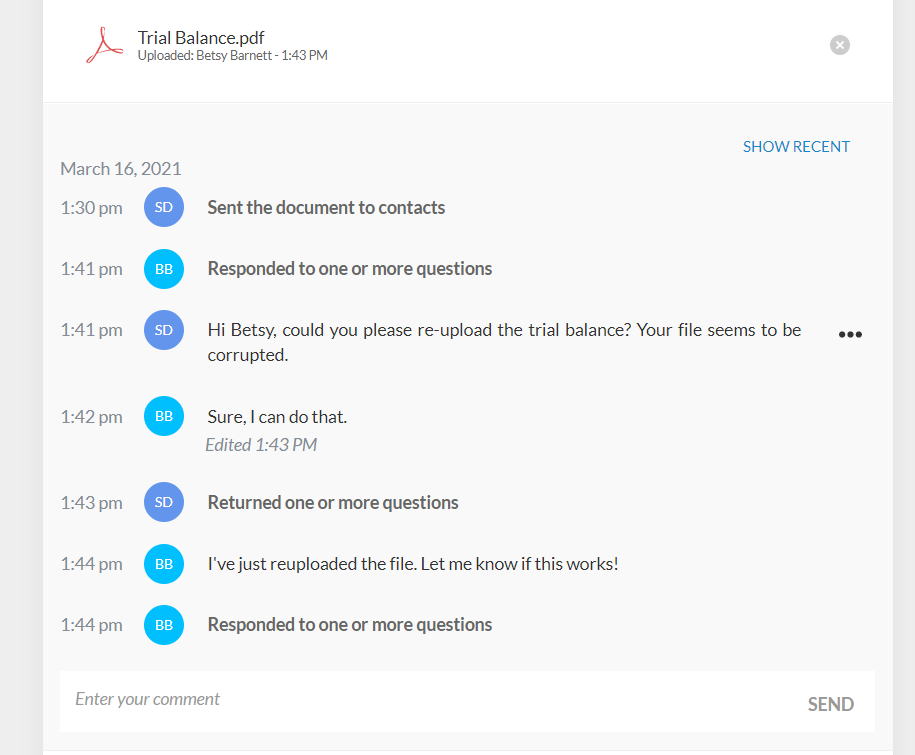
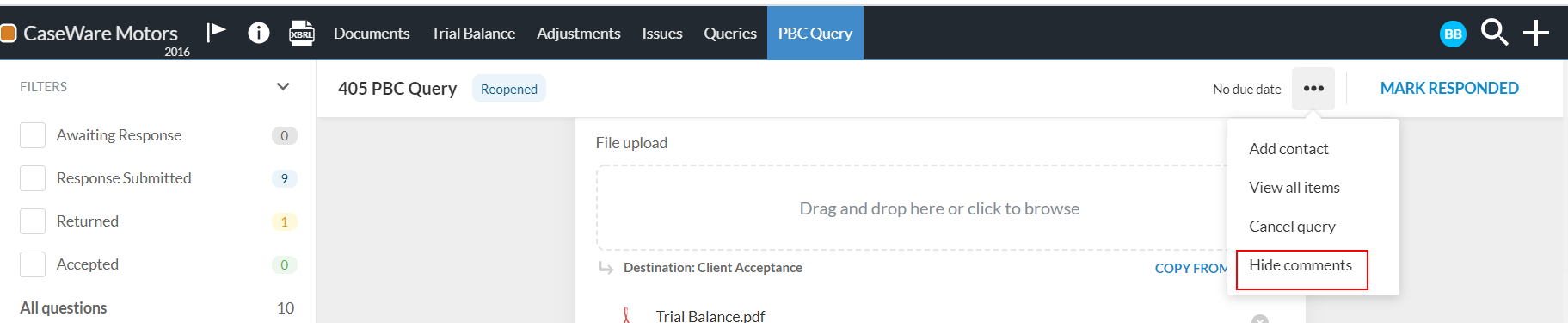
If you want to view only the query question history in the Comments area, you can select More actions () | Hide comments at the top of the page.
The question history is also included in the engagement archive when you use the Download reference copy option. Note that the query question history is not available for contacts.